In The Beginning
Almost as long as there have been computer games, there have been data structures to contain the digital trinkets and doo-dads needed by the player for gameplay. Be it a list of text, a grid of icons or a more emergent system, items that need to be contained need a system to contain them. I have always been interested in these systems; how creative they can be and how lazy they can be. I have learned a lot about what works and doesn’t when it comes to implementing inventories. I am by no means an expert, but I hope by sharing what worked for me, pitfalls can be avoided by others in the future.
What Makes An Inventory Good
Like many things in life, if something is made right, you barely notice it, but when it is implemented poorly, it can ruin the user experience. I don’t believe there is one correct system, it is very situational. Even when what is thought of as being the “correct” system will still be disputed among players. A good system should be intuitive, I shouldn’t need a tutorial to access my items and interact with them. It should feel good to use. This is entertainment software after all. Items should make sounds, and have fluid motion when being moved. Even the act of drag and dropping something should have weight and feedback. Equipping a weapon should feel different than equipping a loin cloth. I personally prefer an inventory system where items take up more “realistic” space. Games like Diablo use multi-slot grid inventories where larger items occupy more spaces than smaller, giving a sense of immersion to inventory management.
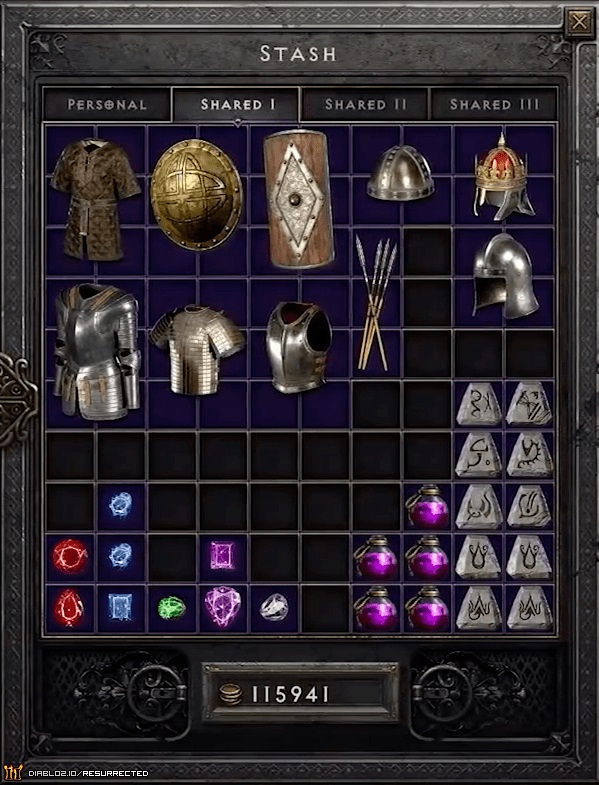
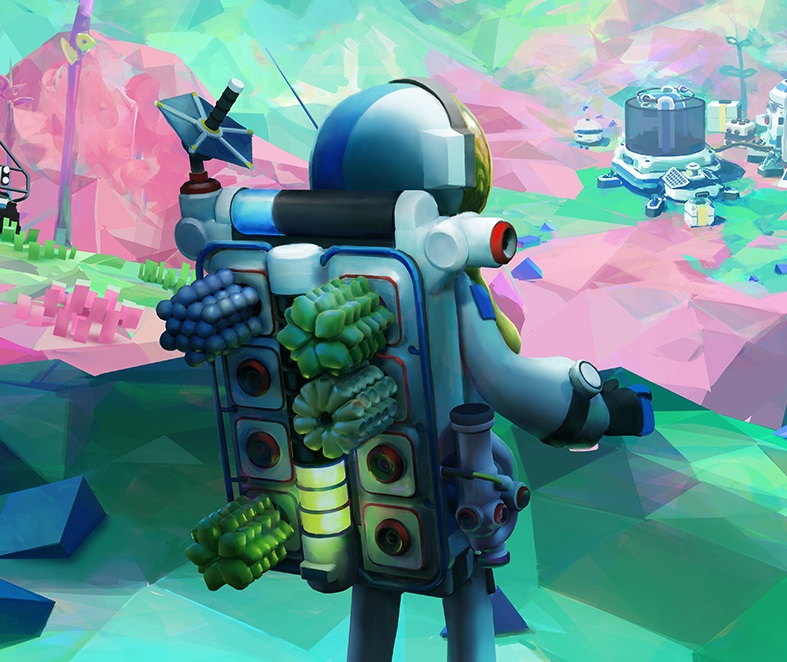
My biggest pet peeve are games that use single slots for items and a superficial weight for each item. If you need to see how much weight an item is, you have to hover over each one to see which heavy culprit is slowing you down. Multi-slot inventories are intuitive, you just look at them and can see what is taking up space. I also really like diegetic systems like in Astroneer where items are interacted in 3D space and always visible on the player. Interacting with items makes satisfying clicks and pops as they enter and exit the inventory slots. Special items can even serve a purpose when placed in the inventory like lights or crafting modules. If these are examples of good inventory systems, then how do we go about implementing them, and even more so the items themselves?
Naive Approach
When I first delved into trying to implement inventory systems I relied heavily on inheritance, which if your scope is small and needs few, is perfectly fine. When I started trying to implement a multi-slot grid system I struggled a lot and went through several iterations. Logically thinking, you have a bunch of items. These items serve different purposes in the game world and therefore require different logic when using them. Some may go into special slots to be equipped by the player. All these items would inherit from the Item class of course, but then they would branch off for their subclasses, for example a sword weapon could look like:
Item → Equipment → Weapon → Melee
Then a loaf of bread could be:
Item → Consumable → Food
But what if I wanted to get creative and add a baguette that also could be used as a sword for some reason? Sure you could make a hacky work around, but what is really needed is a way to break these classes apart into components instead. The Entity Component pattern is incredible. It takes the rigid constraints of inheritance and turns it into a modular system that can be modified and changed at runtime. So now instead of subclasses inheriting from subclasses that are inheriting from Item, there is only one Item class that contains a list of the components that an Item needs. So now our baguette would look like:
Item
Components:
Damagable Item Component
Consumable Item Component
Adding new item functionality is as easy as creating a new Item Component and adding to the list for an item. Then if you need to check if an item is of a certain type, just check if its list of components contains that type and you’re done. There are many other uses for this pattern as well, but for now we will stay focused on the inventory systems.
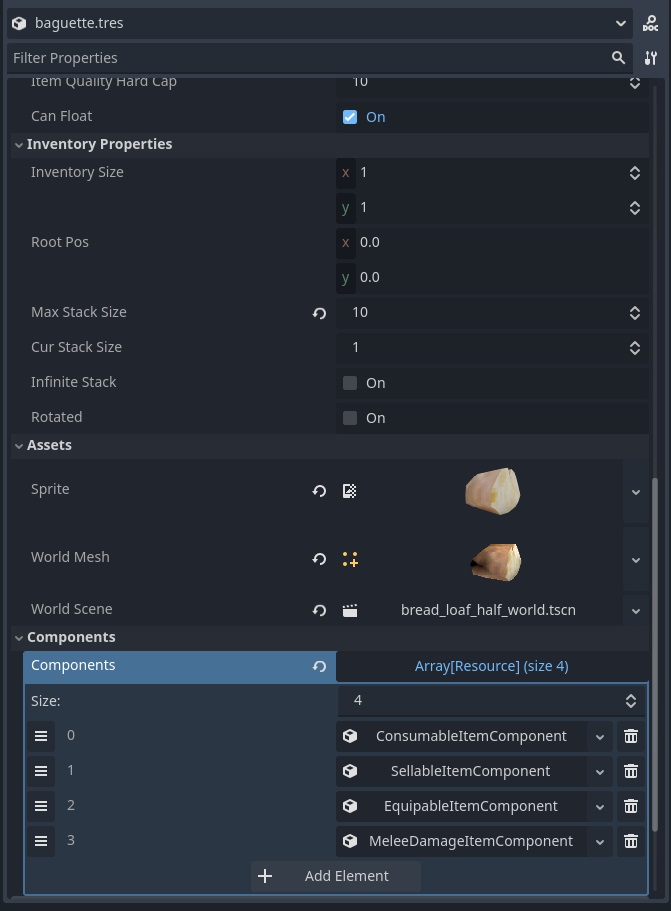
Now that our items can be broken down into components, if the player tries to place the baguette in their main weapon slot, we check if that item contains the Equippable Item Component, and then allow it to be equipped. If the player selects the baguette and tries to use it, we check if it has the Consumable Component and then consume it.
So how do we display all this data for the player? Like many patterns, we separate the data from the UI. Items are just a model stored in a list within the container that, well, is containing them, and they have a Vector2 to store their root position. When the player opens an inventory, we create a grid of slots for the size of the container and loop through the list of items placing them in the appropriate root slot. If the item occupies multiple slots, then we set that slot as occupied and give it a reference to the item. When the player tries to place an item in an inventory, just search the area under the cursor to check if the item fits, can be swapped, stacked with another item, or whatever special case that needs to occur. Using object pooling of these inventory item UI elements, no new resources need to be instantiated at runtime. When opening a new inventory container, just swap the item sprites and Item references. It’s fast, efficient and neatly organized.
In Conclusion
Again, there is not a concrete right or wrong way to do this, but this was the solution for my problems in my project. At surface level I think inventory systems seem pretty straight forward, but for a project where you need items to have complex functionality and be mutatable, the Entity Component System solves many of inheritance’s problems.